7 reasons why it's good for business to invest in web accessibility

Key takeaways
- Since June 28, 2025, the European Accessibility Act covers private companies selling online to EU consumers. Only microenterprises under 10 staff and 2 million EUR are exempt (EUR-Lex, 2019).
- 95.9% of the top one million home pages have detectable WCAG 2 failures, averaging 56.1 errors per page, and the numbers got worse from 2025 to 2026 (WebAIM, 2026).
- 1.3 billion people, about 16% of the world's population, live with a significant disability (WHO, 2023). Around 8% of men are color blind, including the author.
- The same techniques that help screen readers, semantic HTML, alt text and meaningful link text, also help Google and AI search understand your pages.
- Accessible design is more robust design. Clear labels, error messages and keyboard support mean fewer support requests.
- Accessibility widgets and overlays do not make a site compliant. Build it into the design system instead.
- The standard to design against is WCAG 2.2 at level AA (W3C, 2024).
On June 28, 2025, the European Accessibility Act came into effect across the EU, and with it new requirements for web accessibility in the private sector. Even if your website isn’t directly affected by the new rules, there are still plenty of good reasons to make it accessible. Here are seven reasons why it makes sense to invest in accessible web design:
1. You reach a larger audience
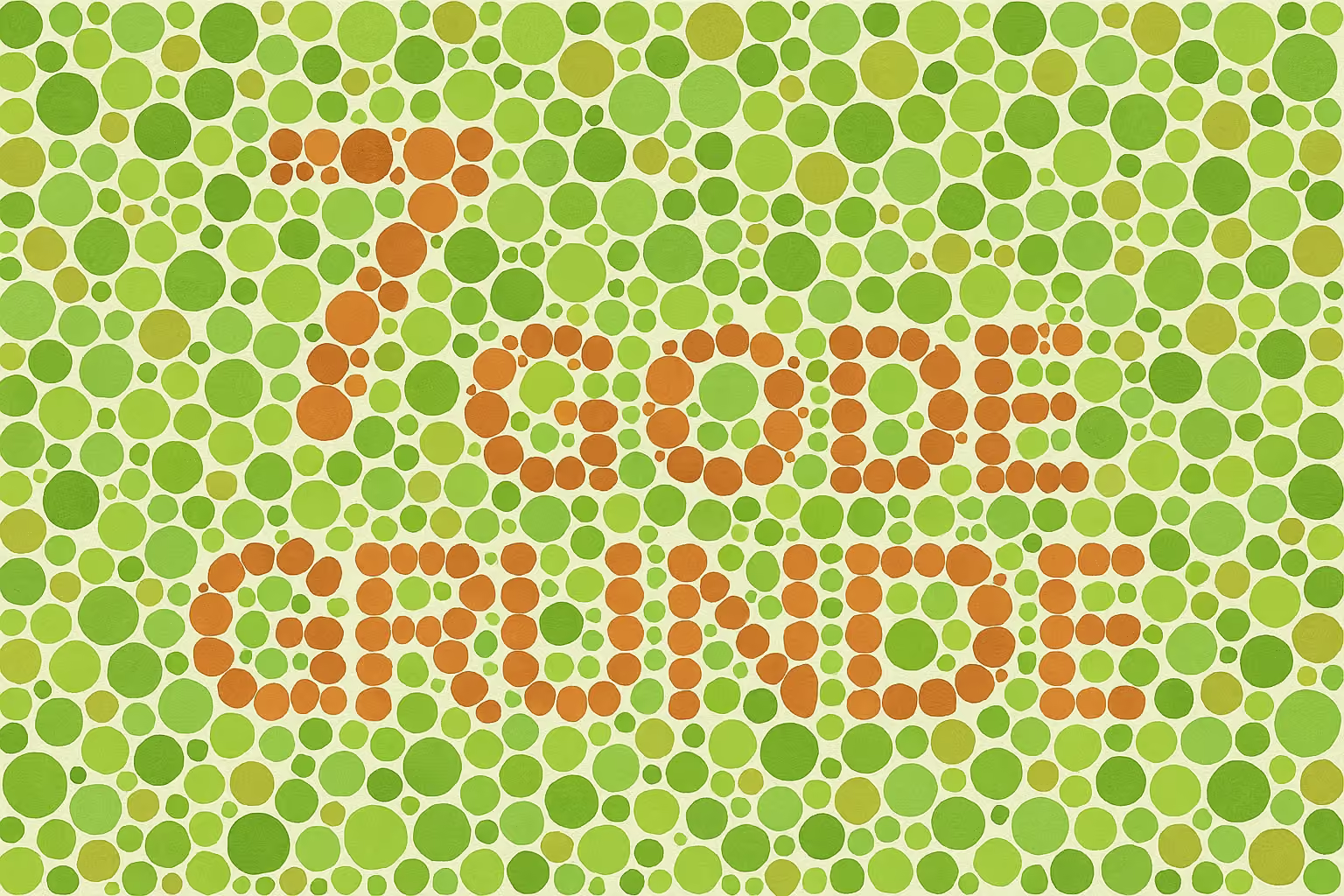
The public health nurse held up the book in front of me, and I stared intently at the colored dots. No matter how hard I tried, all I saw were… colored dots. Not the number 74 hidden among the green and red ones. The conclusion was clear: I was mildly red-green color blind.
It hasn’t dramatically affected my daily life. I can tell the difference between the red and green lights at an intersection. But when those colors are used together with low contrast, it becomes a challenge. And I’m not alone. Around 8% of all men are color blind. Then there are people with impaired vision, limited motor skills, neurological diagnoses, and more.
In Denmark, it’s estimated that up to 20% of the population faces challenges at some point that affect their digital access: vision, hearing, motor skills, cognition, stress, or limited digital experience. Globally, the WHO estimates that 1.3 billion people, about 16% of the world’s population, live with a significant disability (WHO, 2023).
By investing in web accessibility, you broaden your target audience. More customers, more users, more opportunities.
And it’s not just about permanent disabilities. It includes those of us holding a baby in one hand, standing in the sun at a festival, using a poor connection, or just having a bad day (more on that in point 6).
2. You reduce legal and reputational risk
In Denmark and across the EU, digital services are already subject to accessibility legislation. Public sector websites and apps have had to meet WCAG 2.1 AA (via the EN 301 549 standard) since 2018 under the Web Accessibility Directive, and WCAG 2.2 has been the current W3C recommendation since October 2023. Since June 28, 2025, the European Accessibility Act also covers private companies that sell products and services to consumers online: e-commerce, banking, transport, telecoms, e-books and more. The only general exemption for service providers is microenterprises with fewer than 10 employees and under €2 million in annual turnover or balance sheet total. If you are bigger than that and sell online, you are in scope.
Most sites are not ready. The 2026 WebAIM Million report found detectable WCAG 2 failures on 95.9% of the top one million home pages, an average of 56.1 errors per page, and low-contrast text on 83.9% of them (WebAIM, 2026). The numbers got worse from 2025 to 2026, not better.
If you fall under these rules, you risk fines for non-compliance. Even if you’re not currently required to follow the standards, that could change. And if you’re a global business, you may face stricter laws elsewhere (like in the US). Following best practices helps protect you from unpleasant lawsuits.
It also reduces the risk of a public backlash if your services are inaccessible. Which leads us to point 3.
3. You strengthen your brand and reputation
A brand isn’t just a visual identity, it’s also a set of values and the actions your company takes. It’s not enough to list “inclusion” as one of your values if you don’t live it out.
Demonstrating digital inclusion through an accessible website helps build your brand story. It shows you’re responsible, open, and committed to diversity. An accessible website is also essential if you want to attract talented employees with different needs and backgrounds.
In a time where both B2B and B2C customers increasingly choose brands based on values, accessibility is a clear differentiator.
4. You improve SEO and online visibility
Accessible web design benefits people and search engines. Many accessibility techniques also help search engines understand and index your content better, boosting your presence on Google (and ChatGPT).
That includes:
- Proper HTML structure with semantic tags, making it easier for screen readers and search engines to interpret your content
- Descriptive alt text for images, so visually impaired users, and search engines, know what’s shown
- Meaningful link text, helping both humans and bots understand context and relevance
- Logical navigation, which benefits everyone trying to find their way around
The result? Better search rankings and more organic traffic. Plus lower bounce rates, since visitors can quickly grasp what your site offers. SEO and accessibility go hand in hand.

5. You reduce errors and support needs
Accessible design is often more robust. When you use proper HTML, clear labels, helpful error messages, and test your site with keyboard and screen readers, you reduce the risk of mistakes and confusion.
That means fewer support requests, less frustration, and lower operational costs.
Accessibility also forces you to tidy up, not just your code, but your entire information architecture. That’s a strong economic argument. And for the next one, we’re heading back to the ’90s.
6. You create a better experience for everyone
In the early 1990s, American entrepreneur Sam Farber saw his wife, Betsey, struggling to peel potatoes. She had arthritis, and the classic peeler design caused her pain. So he created a new Y-shaped peeler with a soft, ergonomic grip.
It turned out that not only Betsey and others with arthritis liked the new design. What began as a fix for a minority quickly became a favorite for the majority. The product succeeded not despite its inclusive design, but because of it.
The same holds true in the digital world. Accessibility helps far more than a few people. It improves the experience for everyone. A few examples:
- Video captions support deaf users, but also help students on trains without headphones or parents with sleeping babies
- High color contrast helps color-blind users distinguish buttons and alerts, but also makes text readable in bright sunlight or on old screens
- Clear structure and meaningful headings guide screen readers, but also help busy managers scan content quickly
- Large clickable areas and generous spacing help users with motor impairments, but also make it easier to hit the right button with one hand on the bike (don’t try this at home)
- Forms with clear labels and guidance reduce errors and uncertainty for everyone, not just people with cognitive challenges
- Keyboard navigation and visible focus indicators are vital for users with limited mobility, but also speed things up for developers and power users
The point is this: designing for accessibility forces us to think more clearly, communicate more effectively, and focus on what truly matters. The result is a better product, even for users who don’t consider themselves disabled.
Accessibility doesn’t mean lowering the bar. It means raising it. For everyone.
7. You do the right thing
Perhaps the simplest, and most important, argument.
The internet is a basic need: for public services, banking, job applications, healthcare, and social interaction. If it’s not accessible, we shut people out. And we shouldn’t, especially when it’s avoidable.
Web accessibility isn’t just a technical challenge. It’s an ethical choice. It’s about building a digital world that as many people as possible can take part in.
Who doesn’t want to do the right thing?
Convinced? Here’s what you can do next
The fact that you’ve found this blog post and read this far shows that you’re curious about accessibility. Hopefully, this has helped convince you of its importance.
If you want to get started but aren’t sure how, here are three good first steps:
- Get an overview: design against WCAG 2.2, the current standard. Level AA is the bar the EU legislation points to.
- Get your current site tested: we screen your site for the six failure types that account for 96% of all errors and give you a clear picture of where you stand. Write to us and we will set it up.
- Skip the overlay: accessibility widgets and overlays do not make a site compliant and have been named in lawsuits. Build accessibility into the design system instead, with contrast tokens, focus states and semantic components, so nobody can publish an inaccessible page by accident. That is how we build every Webflow site.
- Get help taking action: if you already know the basics, we can bring your site up to WCAG 2.2 AA. Let’s have a no-strings-attached chat.
Summary
I wrote this post because the business case for accessibility is stronger than most marketing teams think, and because I have a small stake in it myself. Being mildly color blind is a minor inconvenience for me, and a daily one when a site uses low-contrast red and green.
My advice is to stop treating accessibility as a compliance project and start treating it as a design system decision. Set the contrast tokens, focus states and semantic components once, and nobody can publish an inaccessible page by accident. That is cheaper than an audit every year, and it is what the law now expects of most companies selling online in the EU.
And skip the overlay. It is the one thing in this field that looks like a shortcut and is not.